
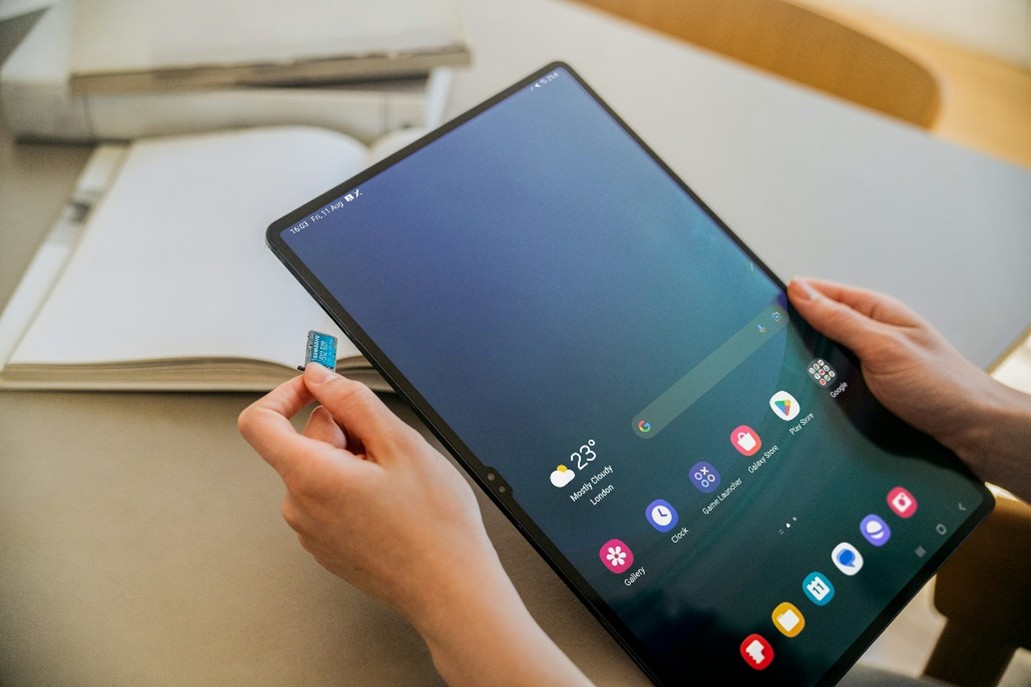
Expandable storage lets compatible phones and tablets add capacity with a microSD card, making room for photos, videos, apps, music, and offline downloads.
Modern mobile devices handle far more than calls and messages. They serve as cameras, gaming systems, payment wallets, work tools, streaming players, and portable file cabinets. High-resolution photos and 4K video can consume storage quickly, while large games, creative apps, downloaded shows, podcasts, and music add to the total.
When internal storage starts running low, expandable storage can provide a practical alternative to deleting important files or replacing the device. A compatible microSD card can increase available space and make it easier to keep media offline, but support varies by phone or tablet, so check the device’s specifications before buying a card.
Why Expandable Storage Makes Sense
Expandable storage lets compatible phones and tablets add capacity for photos, 4K video, apps, music, and files without replacing the device.
Modern camera files and offline downloads can consume available space quickly. A few minutes of high-resolution video, combined with years of photos, messages, games, and app data, may trigger a low-storage warning sooner than expected.
A compatible microSD card or external storage device can provide a practical way to manage that pressure. Before buying anything, check whether your phone or tablet supports expandable storage, which storage capacities it accepts, and whether its file system or speed requirements limit compatibility.
With the right storage solution, you can:
- Keep more photos, videos, music, and documents available without immediately deleting older files.
- Move infrequently used media off internal storage to make room for new downloads and recordings.
- Transfer files between compatible devices, such as a phone, tablet, computer, or card reader.
- Postpone an expensive device replacement when limited capacity is the main problem.
Expandable storage does not increase a device’s processing power, and moving files may not improve performance in every situation. However, it can make everyday storage management easier and give compatible devices more room for personal content.
For secure, high-speed storage options designed for modern mobile devices, visit Lexar’s mobile storage solutions. Review the product specifications carefully to confirm capacity, speed class, connector type, and compatibility with your device.
Why Phone Storage Fills Up So Quickly
Modern smartphones handle high-resolution photos, 4K video, large games, streaming downloads, and increasingly capable work apps. As a result, even a phone with generous internal storage can become difficult to manage over time.
Several everyday habits contribute to the storage problem:
- Apps and games require more space. Mobile games, video editors, productivity tools, and social media apps often include high-resolution media, offline content, and frequent updates. Their installed size can grow beyond the original download.
- System files and updates use additional capacity. Operating-system updates may need temporary space to download and install, while cached files and recovery data can also reduce the amount of storage available for personal content.
- Photos and videos accumulate rapidly. High-resolution images, 4K recordings, screen captures, and edited video files can consume gigabytes before users realize how much space they occupy.
- Offline entertainment adds up. Downloaded music, movies, podcasts, maps, and documents remain on the device until they are manually removed.
Cloud storage can help with backups, but it may require a subscription, a reliable internet connection, and enough bandwidth to sync large files. Expandable storage provides another option on compatible phones and tablets: move photos, videos, documents, or selected media to a microSD card and keep more internal space available for apps and system operations.
Before buying a card, check whether the device supports a microSD slot, its maximum card capacity, and the speed rating recommended for your intended use. Expandable storage cannot be added to a device that lacks compatible hardware, but on supported models it can delay a costly phone upgrade and make everyday storage management easier.
Expandable Storage Gives You More Flexibility
Expandable storage lets you add capacity without replacing your phone or tablet. A compatible microSD card can hold photos, videos, music, documents, and other files, making it easier to manage a device with limited built-in storage.
Before buying a card, check your device’s specifications. Some phones support microSD cards only up to a particular capacity, while others may format the card as portable storage or adopt it as internal storage. Portable storage is generally easier to move between devices; adopted storage is tied more closely to the device that formatted it.
- Upgrade capacity affordably: Add a 128GB or 256GB microSD card when the phone’s internal storage is no longer enough, provided the device supports that capacity.
- Organize files more easily: Move older photos, videos, downloads, and documents off internal storage to create room for new content.
- Transfer files offline: Use a card reader or compatible adapter to move files between a phone, tablet, computer, or camera without relying on an internet connection.
- Keep a separate copy: Removable storage can serve as one part of a backup plan, but important files should also be backed up elsewhere because memory cards can be lost, damaged, or corrupted.
This combination of extra capacity and easy file management makes a microSD card a practical solution for users who regularly capture media, download content, or work across multiple devices.
How Expandable Storage Can Improve Privacy and Offline Access
Expandable storage gives you more control over sensitive files by keeping them available on a removable device instead of requiring continuous cloud access.
Cloud storage is convenient, but it depends on an account, an internet connection, and a provider’s security practices. A microSD card or other removable drive can complement cloud storage by keeping selected files accessible offline.
- Access files without the internet: Open photos, documents, or downloaded media when you have no connection. Learn more about the Internet and how connectivity affects access.
- Reduce unnecessary cloud exposure: Store files locally when you do not need them synced across multiple devices.
- Keep a portable copy: Move files between compatible phones, tablets, computers, and card readers without uploading them first.
- Protect the device itself: Use encryption or password protection when supported, and keep removable storage in a secure place when it is not in use.
Removable storage is not automatically a complete privacy solution: it can be lost, damaged, or accessed by someone else. For medical documents, identity scans, financial records, and private videos, use strong device security, encrypt sensitive files when possible, and maintain a separate backup.
Extend Your Phone’s Useful Life with Expandable Storage
Expandable storage can help you keep a phone usable for longer by moving large photos, videos, music files, and downloads away from internal storage. This frees room for the operating system and essential apps, reducing the disruption caused by a nearly full device.
- Keep more free space available for system updates and app data.
- Move older photos, videos, and documents to a compatible microSD card.
- Avoid replacing your phone solely because its internal storage is full.
A full storage drive can contribute to sluggish performance, failed updates, or apps that struggle to save new data. However, expandable storage is not a guaranteed fix for every performance or battery problem. Check that your phone supports a microSD card, and use a card with a suitable capacity and speed rating for your files.
Regularly review the card and keep a second backup of important photos and documents. With that approach, a storage upgrade can postpone an unnecessary phone replacement while keeping your everyday files easier to manage.
Save Money and Reduce Electronic Waste with Expandable Storage
Adding a compatible microSD card can be a more affordable way to increase phone storage than replacing a device with a higher-capacity model. It also gives you more control over how long you keep your phone or tablet.
- Spend less on extra capacity: A high-capacity microSD card may cost less than upgrading to a new phone with more internal storage. Compare the card’s price, speed rating, and capacity with the cost of a replacement device.
- Extend your device’s useful life: Moving photos, videos, music, and other files to expandable storage can help you continue using a device that is otherwise working well.
- Reduce unnecessary upgrades: Keeping a phone longer can avoid the materials, manufacturing, packaging, and transportation associated with buying a replacement.
- Reuse the card across compatible devices: A removable memory card can be transferred to another supported phone, tablet, camera, or computer, although it may need to be reformatted first.
Expandable storage is not a substitute for regular backups, and it does not make an incompatible phone support microSD cards. Before buying, check your device’s maximum supported capacity, card format, and required speed class. For important files, keep another copy in a separate location because removable storage can be lost, damaged, or corrupted.
When your device supports it, a memory card can make a practical financial and environmental difference: you gain room for new content without immediately paying for a new phone. That combination of lower upgrade costs, longer device use, and flexible file management makes expandable storage a valuable option for people who want more capacity without replacing their hardware.

